
A product of SquareML Inc.
Book the clinic. Walk in prepared.
Invite-only clinic software. Your hospital creates the login.
The visit
Coming to the App Store and Google Play.
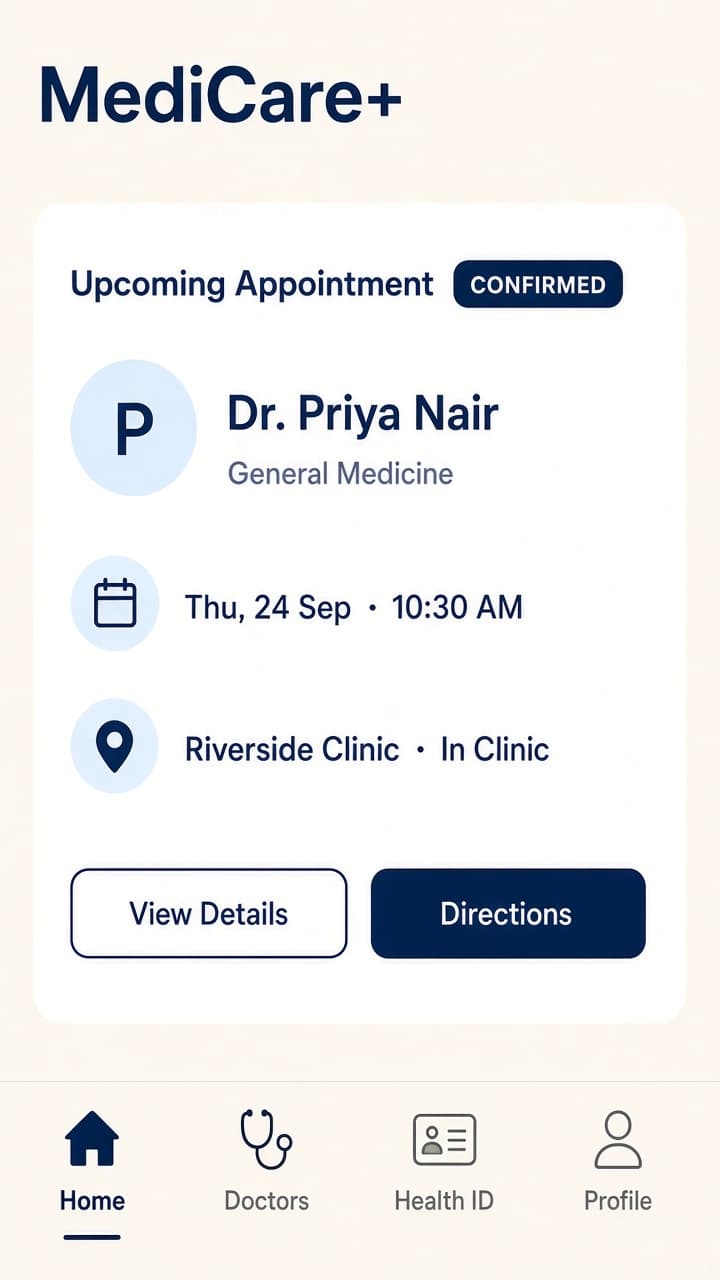
In clinic
Find your doctor, choose In Clinic, pick a date and time. Paid at the clinic.
Online
If your doctor offers it: a scheduled 1:1 video visit with chat, files, and notes.
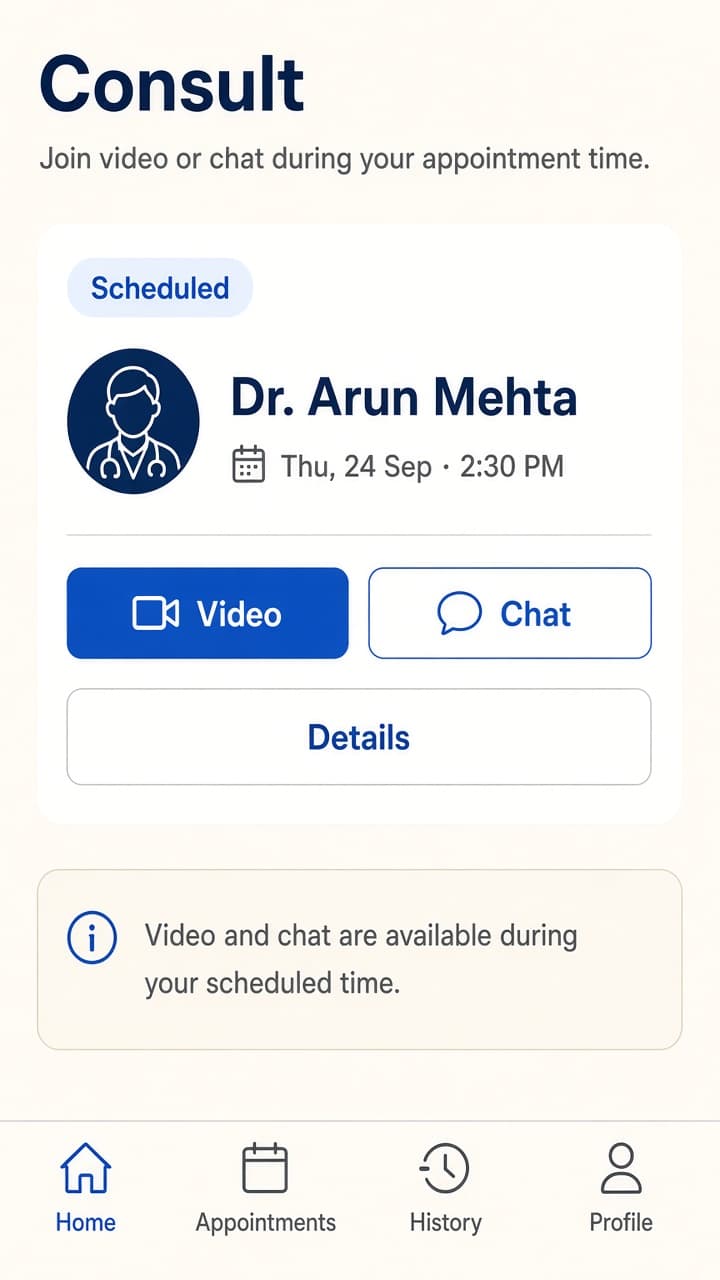
Marketing views of MediCare+. Clinic-provisioned accounts.
Prepared for your doctor
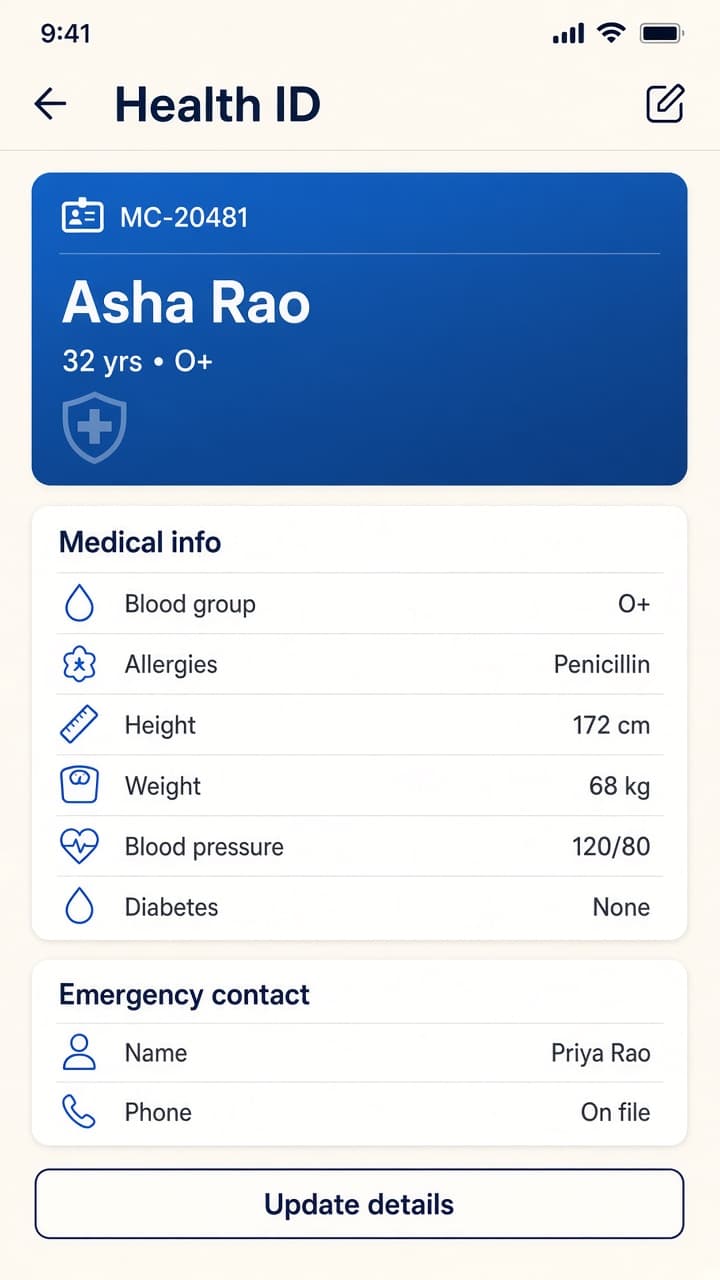
The doctor is not starting from a blank page. Health ID holds blood group, allergies, history, and vitals you or the clinic enter, plus an emergency contact. Upload reports. Attach documents to the visit. Doctors and the clinic can send checkup and health suggestions so you know what to discuss. Then you check with your doctor. These values are entered by people. MediCare+ does not measure them from device sensors.
After the visit
Reminders land before the slot. You can message your doctor. After a completed visit, book the follow-up, usually back in clinic. Invoices and refunds are there when you paid for an online consult.
From campaign to chair
The hospital publishes a campaign: a camp, a screening, a registration. People complete a form in the app or on a public link, no login required. Responses come to the clinic. Staff book the in-clinic appointment from that response. Same doctors, same hours, same Health ID once they are on the books. Outreach and the appointment live in one system.
People
Create patients, doctors, consultants, and admins. Assign campus and team.
Hours
Doctors publish weekly hours or hours for a specific day. Slots come from those hours.
Today
See the in-clinic and online board. Staff book on behalf of a patient.
Outreach
Run campaigns, send checkup and health notices, turn a registration into a slot.
Who it is for
Patient
Book in-clinic and online visits, keep a Health ID and files, join video when offered, follow up, answer clinic campaigns.
Doctor
Set hours, see today's board, write a summary and prescription, send checkup suggestions, book follow-up.
Clinic admin
Create users, publish campaigns, manage campuses and access.
How MediCare+ is used
Scheduled visits with your doctor
Health details are entered by you or the clinic so you and your doctor can review them together. MediCare+ does not diagnose, treat, or replace clinical judgment.
Scheduled visits
Use it to book and prepare for an in-clinic or scheduled video visit. If this is a medical emergency, contact local emergency services.
Your hospital's doctors
The clinic creates the login. You see the doctors in that hospital, not a public marketplace.
Real-world consults
Fees for a one-to-one visit may go through a payment processor or the clinic desk. These are clinical services, not in-app subscriptions.
Want MediCare+ for your clinic?
Book a discovery call. We will walk through invite-only provisioning, in-clinic and online visits, and how campaigns become appointments.